
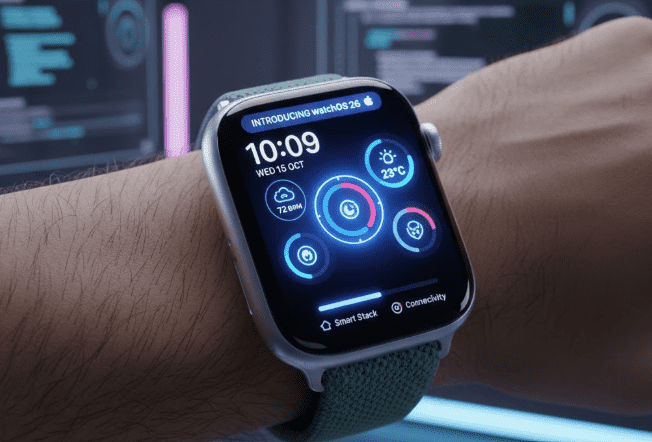
If you reside in the United States, the upcoming software update of watchOS 26 is a big deal for you, especially if you are an Apple Watch user or if you’re planning to become one. It is a veritable whale of improvements regarding smart things, health, fitness, and general operational enhancements. WatchOS 26 is much more than an update of the operating system; it actually changes your how-to get experience On-The-Wrist. With Apple Watches Series 9, Series 10, Ultra, and lower models like Series 6, there is truly something for everybody when it comes to watchOS 26.
What is watchOS 26, and When Did It Launch?
watchOS 26 is the latest major version of Apple’s smartwatch operating system. It was officially released on September 15, 2025, and it is available as a free update to compatible Apple Watch models, including Series 6 and later, Apple Watch SE (2nd generation and newer), and all Apple Watch Ultra versions, as long as they are paired with an iPhone running iOS 26.
The reasoning behind this action is that Apple has aligned names concerning the various platforms, iOS, iPadOS, macOS, and watchOS, making it possible for users to sync it all across all the devices in a single brand.
Major Improvements in watchOS 26
watchOS 26 comes with several new features that promise to enhance the daily Apple Watch experience from a design and user interaction standpoint, to fitness and health tracking. Here are some highlights from the update:
1. New Faces: Liquid Glass Design
watchOS 26 introduces one of its biggest visual changes with a new design language called Liquid Glass. This immersive style adds depth, translucency, and character to system elements such as widgets, notifications, app icons, and the Control Center.
That way, your watch would have a more meaningful appearance and improved clarity and legibility, especially on smaller screens. Whether swiping notifications or customizing your Watch Face, Liquid Glass enhances the user experience.
2. Health with Workout Buddy is becoming intelligent.
Again, in the workout shopping context, watchOS 26 comes with a workout buddy-AI coach to give real-time motivation and advice. Powered by Apple Intelligence and using your historical activity data, the Workout Buddy not only provides personal insights but also talks you through the workout to keep you focused and motivated. Decorated as if a personal trainer at the gym is beside you, Workout Buddy makes exercise seem personal and rewarding.
3. Smarter Smart Stack and Widgets
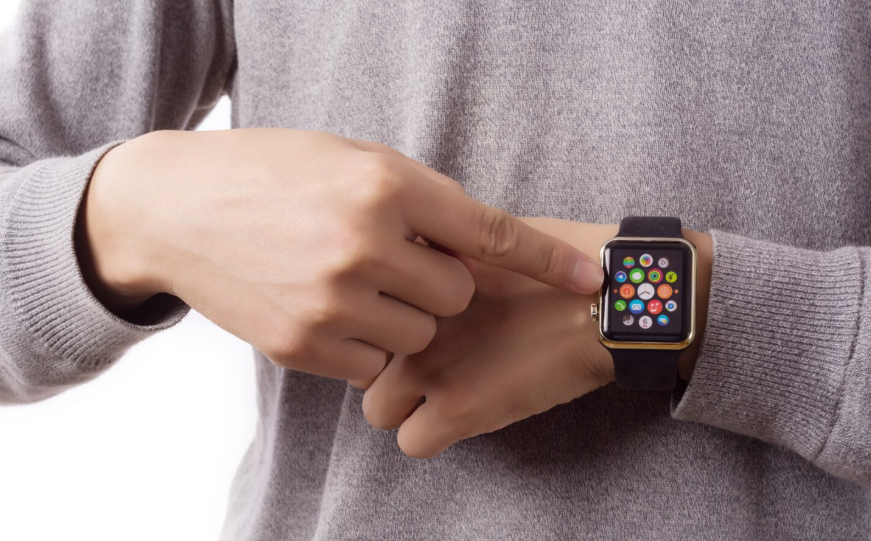
The Smart Stack has been given a radical boost to intelligence this time around in watchOS 26. It manages proactive widget hints following your routine or location, activity routines, and contextual factors. Like suggesting a Pilates session when you get to the gym, especially when you’ve made a run at it, or else it might suggest you attend an offline event.
Your Apple Watch now knows not just the data behind showing it for any given purpose, but it also knows what you are likely to want next, which makes the device practically much more useful.
4. Improved Messaging and Communication
Messaging has been simplified in watchOS 26. Now, with Live Translation, incoming messages will be translated automatically into your preferred language on your wrist. Furthermore, the reply text will reflect the translation immediately as well.
Other than that, the background image from your iPhone widget makes messages feel more personal, while contextual enforcements like initiating Check In or sending Apple Cash will support a faster and more intuitive way to reply.
5. New Gesture Controls and Notification Management
The word with the most weight in terms of usability improvement is the new wrist-flick gesture, dragged into being. A flick of the wrist does away with notifications, mutes timers, ends calls, and brings you back to the home screen without touching, grinding progress manner, from the screen.
This particular functionality is enormously helpful for one-handed use when the other hand is tied -like, for example, when one is holding a cup of coffee or pushing a stroller. Furthermore, watchOS 26 can adjust the notification and alarm volume automatically depending on the ambient noise, so you are safe in the knowledge that the alerts are always perfectly set.
6. Notes App Comes to Your Wrist
For the first time, the Apple Watch recognizes a native Notes application in watchOS 26. You can view, create, and manage notes directly from your wrist using Siri, dictation, or the on-screen keyboard.
This is an enormous productivity advantage since you can jot down thoughts, reminders, or checklists-even without the need to unlock your iPhone.
7. Health and Fitness Features and Data in Reporting
Health tracking has seen significant advancements in watchOS 26. Noteworthy updates include:
- Hypertension notifications are made on the basis of data from the optical heart sensor.
- Sleep score insight that assists you in keeping track of sleep quality.
- The inclusion of features that make the Apple Watch entirely health-conscious and actionable.
8. Face Reflection and Customization
And watchOS 26 is adding new watch faces like Floe and Modularight, creating a broader range for you to illuminate your device style. An updated Watch Face Gallery will now help in the discovery and adaptation of your watch face.
From classic analog faces to dynamic digital encounters, the Apple Watch offers so many options for personalization.
9. Compatibility and Installation Hints
Go ahead and step away from the installation of watchOS 26, but do make sure your Apple Watch can abide by these neural requisites:
- Apple Watch Series 6 or later
- Apple Watch SE (2nd gen or later)
- Paired with an iPhone running iOS 26
The installation is a straightforward process in the Watch app on your iPhone at General > Software Update.
Pro-Tip: Always back up your data before updating the watch, and make sure your watch has a minimum of 50% battery life prior to updating.
Why watchOS 26 Matters for the Users in the USA
For the Apple Watch users in the USA, watchOS 26 provides some distinct features to them: no longer are they merely simple luxuries; rather, they can be features that can actually be helpful. Here are a few:
- Fitness advice without having to have an actual personal trainer.
- Rapid translation of spoken words in messages, right away.
- Easy, gesture-based actions.
- Adaptive notifications and ease of access for different types of users.
With enhanced health, fitness, design, and productivity features, watchOS 26 redefines the smartwatch. Whether you aim to stay fit, connected, or productive, this update keeps your Apple Watch ahead of other wearables.
Final thoughts: Is watchOS 26 worthy of an update?
Wouldn’t that be an absolute yes? One of the most comprehensive updates Apple has extended so far, watchOS 26 is crowded with goodies as well! From Liquid Glass visuals to smart widgets, advanced fitness tools, and real-time translations, these updates make Apple Watch smarter and easier to use.
Updating to watchOS 26 is an ideal choice for those located in the U. S. who want their Apple Watch to do much more than merely say what time it is.
Pingback: WatchOS 26: Everything You Need to Know About Apple’s Latest Smartwatch Update – Site Title