In the digital age, effective data management is imperative for both individuals and businesses. Whether you were talking about the storage of files, music, and movies, or enterprise data, the cloud storage device allows a flexible, safe, and scalable option. With this increase in remote working, online collaboration, and digital media consumption in the United States, understanding how to make use of cloud storage devices and deciding on the right choice has become even more critical than ever.
This guide will delve into types, benefits, and features of cloud storage devices, and what to consider when buying. We will also provide vital trends and insights for U. S. users.
Comparison of Cloud Storage Devices.
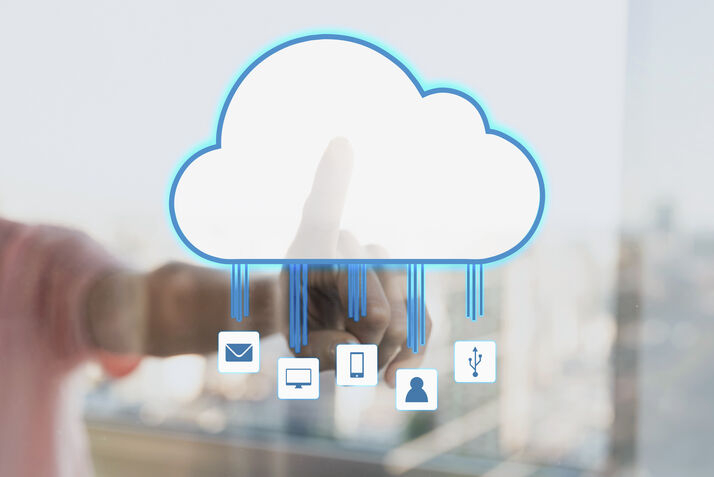
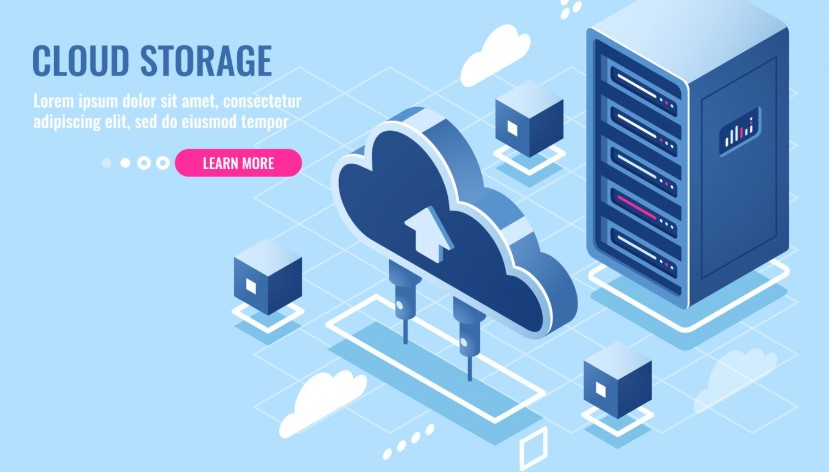
Cloud Storage Devices use digital storage mechanisms that let users store, retrieve, and manage data on the Internet without relying on local storage hardware. Unlike conventional hard drives or SSDs, providers like Google Drive, Dropbox, Amazon S3, and Microsoft OneDrive host and operate the remote servers for cloud storage.
These features offer key benefits: accessibility to view files from any device, scalable storage without extra drives, enhanced security with multiple layers and encryption, and support for simultaneous collaboration.
Types of Cloud Storage Devices
In choosing a cloud storage device, it is useful to know the different kinds. Here are the broad classes:
- Personal Cloud Storage
Personal cloud storage targets individual users. For example, Synology NAS, Western Digital My Cloud, and Seagate Personal Cloud devices let users upload personal files, photos, and videos securely and access them from any location.
- Business Cloud Storage
Businesses need robust cloud storage to handle large data loads continuously. Platforms like AWS, Google Cloud, and Microsoft Azure offer scalable solutions with redundancy and advanced security, ensuring smooth operations without data loss or downtime.
- Hybrid Cloud Storage Devices
Dedicated cloud devices would cater to a selected few who opt for such a setup. The setup of these devices includes RAID configurations for redundancy, automatic backup, and remote node facility. Products by QNAP NAS and Synology DiskStation are generally meant for both individuals as well as large companies, providing advanced performance and security layers.
4. Dedicated Cloud Storage Devices
Some users prefer dedicated devices that function as private cloud storage. These devices often include RAID configurations for redundancy, automated backups, and remote access capabilities. Examples include QNAP NAS and Synology DiskStation, which cater to both individuals and enterprises seeking high performance and security.
Benefits of Cloud Storage Devices
Cloud Storage Devices stand to make users very benefited from their investments, especially U. S. users who are looking for secure, reliable, and efficient data management solutions.
- Security of Data
An advantage of storage cloud features by inclusive security that only bonded secures. Providers love to encrypt data, apply two-factor authentication, and carry out routine security audits to protect data against cybersecurity threats. As a result, one can feel safe, knowing nobody else will be able to access their data.
- Readily Available:
Cloud storage devices let users access information from anywhere and at any time. Whether you are in New York, Los Angeles, or Chicago, you can retrieve files with just a few clicks on devices like a laptop, smartphone, or tablet, without worrying about physical storage. Additionally, intuitive user interfaces often make file management easy.
- Costs saved os:
Companies and individuals save money and time by avoiding server purchase and maintenance, while flexible pay-as-you-go plans meet real needs efficiently.
- Collaborate seamlessly
Cloud storage devices allow teams to work on files, spreadsheets, and projects simultaneously, boosting productivity. Tools like Google Drive, Dropbox Business, and Microsoft OneDrive for Business integrate with these storage devices to streamline workflows. As a result, team members collaborate more efficiently from remote and hybrid locations.
- Disaster Recovery and Backup
Hardware failures, natural disasters, and cyberattacks can destroy data. Cloud storage solutions automate disaster recovery and backup processes, giving you peace of mind by keeping your data safe and accessible at any time. This peace of mind is priceless for both individuals and businesses.
Key Features to Look for in Cloud Storage Devices
Here are some key features to take into account in selecting the right cloud storage device for you:
- Storage Capacity: One must select a gadget with adequate capacity for both present and future use.
- Security Measures: End-to-end encryption, multi-factor authentication, and conformity with legal frameworks such as GDPR and HIPAA.
- File Sharing & Collaboration Tools: One of the preferred features of the platform is the ability to share and collaborate with other platform users.
- Scalability: When opting for a cloud storage provider, it is essential to choose one that can accommodate your growth needs.
- Backup & Recovery Options: To ensure the well-being of your data, ensure that automated backup and disaster recovery are at the disposal of the equipment you opt for.
- Integration: Having compatibility with common software or applications will help maintain an uninterrupted workflow.
Leading Cloud Storage Solutions in the United States
Cloud storage solutions have been getting increasingly popular in the U. S., thanks primarily to their reliability, speed with data access, and array of features.
- Synology NAS
Synology NAS solutions are largely adopted as the best cloud storage platform by over a million associates – for both personal and business users. Several qualities have been suggested, like having an intuitive interface with automated backup, secure cloud storage, and file-sharing among users.
- Western Digital My Cloud
WD My Cloud perfectly serves personal users by providing simple external access, strong protection, and robust security features.
- QNAP NAS
QNAP’s NAS devices are a must for any business seeking hybrid solutions. High-speed performance, virtualization support, and superior security protocols are all offered.
- Amazon S3
Amazon S3 came in as the most popular cloud-storage platform for large enterprises with its scalability, data redundancy, and good integration into AWS services.
- Google Drive and Google Cloud Platform
Google’s cloud storage targets are met by end-users in terms of collaboration, while they parallelly interoperating deeply integrated with G Suite apps.
Latest Developments of Cloud Storage Devices
A few developments and trends that enabled the adoption and usage of cloud storage devices included: open to the preferences of the American user:
- Edge Computing: Several companies have opted for edge computing to enable processing closer to the source, reducing latency, thereby improving performance.
- AI-integrated storage: AI-enabled storage, management, and data protection for physical security appliances, and can also analyze data patterns and predict anomalies.
- Hybrid and multi-cloud: As different businesses adopt a mix of two or more approaches related to public and private data storage, they inherently reduce risks and can tailor them to specific, distinctive operations.
Standing out are the companies with advanced security standards: Everyone knows how dangerous cybersecurity is right now, so some of the newest security protocols include stronger encryption and access control.
How to Choose the Right Cloud Storage Device
Choosing the cloud storage device is somewhat challenging: it simply involves an analytical procedure.
- Assess Storage Needs: How much will you be storing now and later?
- Financial Aspect: The next types to be explored are the options for on-premise and cloud-based pricing. How it affects the business can be further looked into.
- Security Requirements: Depending on how sensitive the data is, the entity can choose between the devices that pack advanced security features.
- Ease of Use: Among the other factors to be considered is the intelligence that fades between features—hardly secondary, they are essential, and many of us simply tend to overlook them when considering the ease of use.
- Support and reliability: A check for customer support and device uptime reviews.
In conclusion
In 2025, the cloud storage devices would no longer be optional, but necessary for Americans, both individuals and businesses. From increased security to remote accessibility, these solutions implement practical, cost-effective, and large-scale ways of maintaining digital data.
For those either a small business owner, a remote worker, or a tech-savvy member of the U. S. Coalition, investing in reliable cloud storage will guarantee your data is kept safe, organized, and accessible throughout the day, in any region, really. Keep testing with the trends at all times and thereby choose the right way to spend upon; and so give U. S. citizens both efficiency and guarantees for their digital assets going forward.