In the quick-paced digital era, computers have become essential for work, entertainment, and communication. However, without ANY cleaning, dust, malware, and dead material accumulate, leading to a sudden decrease in performance. The job of making computers thoroughly efficient cannot any longer be seen as optional, but as the prime necessity when everybody’s life is so reliant on technology. This guide seeks to walk you through everything you need to know about computer cleaning, from basic maintenance tips to advanced repair techniques.
Why Does Computer Cleaning Matter?
Routine cleaning does much more for a computer: it keeps the device looking smart and organized. Dust, debris, and digital junk damage cooling systems, cause overheating, and trigger system crashes or hardware issues. Moreover, malware and unnecessary software reduce overall efficiency.
Further, computer cleaning improves security. Do away with temporary files, cache passwords, and outdated software that can leave your device vulnerable to cyberattacks. Regular maintenance can keep a system running properly and safe from potential threats.
Some Simple Ways to Clean a Computer
Most computer problems can be avoided if an individual user follows a simple process of computer cleaning. Here are a set of easy steps:
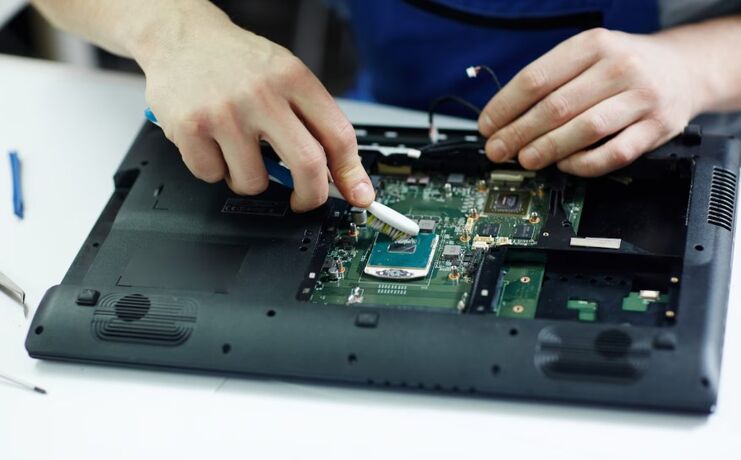
- Finish Physical Cleaning: Dust can block fans and vents from functioning correctly, causing overheating in laptops. Clean the keyboard and its connectors using a paintbrush. You can also direct a stream of compressed air to the vents to remove the accumulated dust. Be sure that your system is turned off when cleaning.
- Take Out the Junk: Take down some other unused files and programs, which will occupy disk space unnecessarily. Organize the folders on the computer and transfer the essential documents to cloud storage to increase efficiency.
- Update Software: Outdated software can open security holes and cause compatibility issues. By updating your operating system, drivers, and antivirus programs, you boost performance and address security risks.
- Run Antivirus Scans: Run frequent scans to detect malware, spyware, and viruses that can lead to sluggish processing. Make use of either free or paid antivirus software versions and keep your system clean and safe.
Advanced Computer Cleaning Techniques
For those users who are a little more advanced concerning tech, the advanced computer cleaning techniques could force more results in power.
- Disk Cleanup and Defragmentation: Use the built-in tools like Disk Cleanup on Windows or storage management on macOS to delete temporary files. When you defragment, you reorganize your hard drive so that your system can access the data a little faster.
- Registry Cleaning: In Windows, the registry keeps vital system data. When obsolete or corrupted entries build up, the computer starts running slowly gradually. Therefore, the use of an ultimate registry cleaning tool is possible to boost speed. Back up your entire PC-just in case.
- Hardware Maintenance: Dusting, RAM, GPU, and cooling system examination is essential to prevent overheating and loss of performance. Users in the USA who regularly do proper cleaning and maintenance on their hardware are much less likely to enjoy the benefits of the use of budget equipment.
But Are The Professional Computer Cleaning Services Really Worth It?
Most DIY techniques work for most customers, but a professional computer cleaning service goes deeper into maintenance. The trained professional could:
- Prevent an environment in which dust or other debris can hinder delicate computer parts during the cleaning service.
- Update the software / optimize performance.
- Early diagnosis of hardware malfunction.
- Ensure data stays safe when you move or remove it.
Another reason why professional cleaning services are important is due to the time that otherwise professionals and students would not have for tasks like maintaining clean PCs.
Common Mistakes That Should Be Avoided In Computer Cleaning
On the other side of the fence, even advanced computer users will agree that when it comes to cleanup, they would very easily commit these mistakes. Avoid them with these solutions to avoid frustrations:
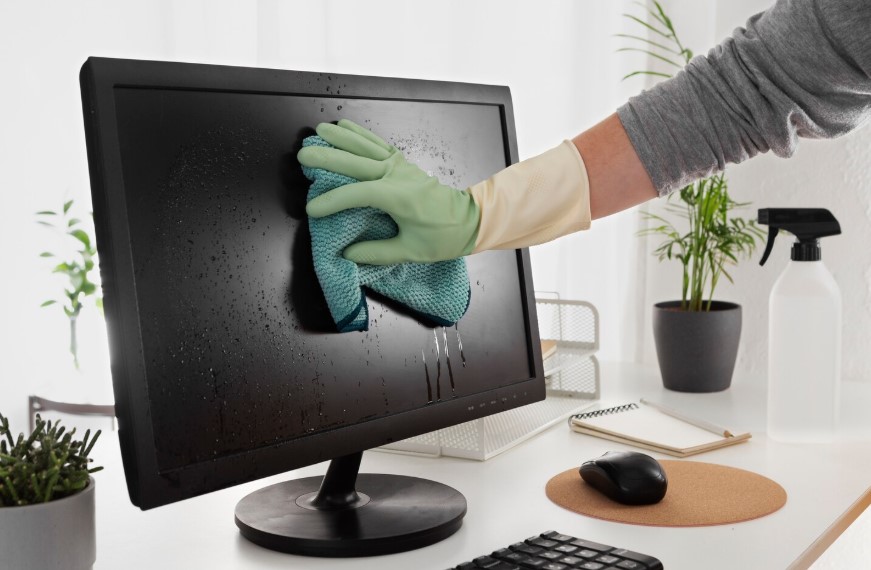
- Using Water or Harsh Chemicals, here, such liquids go on to destroy the circuits too. Only dry or specialized electronics cleaning products must be employed at all times.
- Ignoring Internal Dust: Caring for the surface would undoubtedly not be enough; the fans, vents, and other inside components would also require careful attention to curtail any overheating.
- Skipping Back-Up: It is commonplace to back up your data before proceeding to make any advanced cleaning or software update. It will save your skin from any chance of incidental loss.
- Overusing Cleaning Tools: One has to be careful with these registry cleaners, as they may remove extremely crucial files. Another advantage of the nBeta-e program is that you need to make use of a sophisticated setup relative to your speed and degree of use.
Impacts of Computer Cleaning on Performance and Longevity
Regular PC cleaning noticeably improves speed and energy efficiency while also extending the device’s lifespan. Moreover, proper hardware maintenance reduces overheating and helps modern components perform reliably during long working hours.
Also, bad applications may run inefficiently, freezing systems or causing frequent mild malfunctions. A cleaner running computer reduces energy consumption as all components function properly, saving a good amount of money towards utility bills for those residing in the USA. Thus, cleaning a computer is—you could say—a monetary investment in performance enhancement.
Helping the Enthusiast and Pros in Clean Computers
Continuous abuse from the enthusiast and professional consumer results in a computer pushed to near-explosion. Thus, a truly good clean can only happen when they are regularly cleaned.
In the world of gaming, where cooling equipment is installed to keep dust at bay, overheating, frame rate drops, and death would definitely worsen gamers’ playing experience.
Optimized software is necessary for designers and editors to fill in the blocks of long sentences, marking a successful rendering.
Remember, AR and VR are becoming popular among users in the United States, and hence, it is crucial to ensure that the hardware and software systems are clean for crackling performances that are possible for immersive experiences.
Digital Hygiene: Think About Software Cleaning
Digital hygiene involves managing the bits and pieces to help avert the loss of data to help a computer perform well.
- Clearing files you don’t need: Some of these are temporary files, cache files, and duplicates.
- Uninstall unnecessary applications. Removing software you use rarely will save memory.
- Browser Cleaning: Deleting cookies, history items, or cache files can play a great role in enhancing speed during navigation, as well as ensuring maximum privacy.
If handled with reputable cleanup software, the whole thing is automated for U. S. users who wish to keep their computer clean and never to be password-protected.
Computer Spring Cleaning: Getting the Timing Right
A seasonal approach guaranteeing optimal system efficiency is the best way toward maintaining an advanced account of dusting.
- Spring and Fall: Perfect for refreshing one’s computer hardware with respect to software cleaning, but those two periods are good for purifying repairs.
- Prior to major projects or gaming tournaments, ensure that the device exists in an optimized state for a heavier load.
- Cleaning those unnecessary files typically shows a system working quickly after software updates.
- Better timing will ensure that the computer stays running efficiently and decrease any chance of hardware failure.
Environmental benefits of computer cleaning
Aside from accomplishing those benefits, cleaning a computer has also been presented as beneficial for the environment. By maintaining their devices, individuals consume less energy from their machines. This helps them; whether it lines well with reducing the number of users disposing of them early, and thereby adding to electronic waste. U. S. consumers who like technology embrace appropriate maintenance-support sustainability.
Some Last Tips on Effective Computer Cleaning
- Establish cleaning schedules for physical and digital cleaning.
- Use compressed air, soft brushes, and the recommended cleaning agents on hardware.
- Keep all your software updated, including antivirus and drivers.
- Always back up your data before any advanced cleaning or hardware maintenance.
Users in the United States can treat themselves to computers that are faster, safer, and have longer lives of service if they follow either of these strategies, since cleaning a computer has become a critical aspect of digital life as we move ahead in 2026.
Ending lines
It has now come to a decision that computer cleaning is no longer an option for users from the United States. With technology becoming a substantial component in education, work, and entertainment, proper maintenance of both the software and the hardware of the computer is incredibly necessary. Right from removing the dust and checking the hardware to digital hygiene and software optimization, computer cleaning will add to the acceleration of speed, robustness, and somewhat of mixture that is paramount in increasing the longevity of the computer.
While one may get a clean computer through the various methods of the D-Y route or professional services, continued maintenance must be included in the case of the grade that makes one’s computer dependable and efficient. Get started today, and feel the difference with clean hardware and optimized software.